
 Digital Learning
What Is Computer Literacy? Types, Importance & How to Build It
| Computer literacy is the ability to use computers, software, and digital tools confidently to complete everyday tasks, like creating documents, sending email, browsing the web, and managing files. You do not need to know programming or how to build a computer; you simply need to operate one effectively to get work done. |
From submitting assignments and attending virtual classes to researching projects and collaborating online, technology is now a core part of every student's learning journey. But simply using a computer isn't the same as being computer literate.
Computer literacy is the ability to use computers, software, and digital tools effectively, safely, and confidently. As schools and workplaces become increasingly digital, these skills are essential for academic success, future careers, and everyday life. In this guide, we'll explore what computer literacy means, the key skills students need, why it matters, and how learners can build strong digital foundations for the future.
What Does Computer Literacy Mean?
The definition of computer literacy is the knowledge and ability to use computers and related technology efficiently. A computer-literate person can comfortably turn on a device, navigate an operating system, run common applications, save and organize files, connect to the internet, and troubleshoot basic problems.
It's important to understand what computer literacy is not. Being computer literate does not mean you're a software developer, IT technician, or computer scientist. Those are specialized fields. Computer literacy is the practical, everyday competence that lets you use technology as a tool — the way being "literate" means you can read and write, not that you're a published author.
In short, when someone asks what computer literacy means on a job application or in school, they're asking whether you can use a computer to do useful work without constant help.
Types of Computer Literacy
Computer literacy is often broken down into three main types, each building on the one before it:
1. Hardware literacy — understanding and operating the physical parts of a computer: the keyboard, mouse or trackpad, monitor, printer, storage drives, and how to connect devices and peripherals.
2. Software literacy — using operating systems (Windows, macOS, ChromeOS) and applications such as word processors, spreadsheets, email clients, and presentation tools to complete tasks.
3. Digital / internet literacy — navigating the web, using search engines, communicating online, recognizing scams, and protecting your privacy and security.
You can think of these as layers: hardware gets the machine working, software lets you create and manage information, and digital literacy connects you to the wider online world safely.
Core Computer Literacy Skills
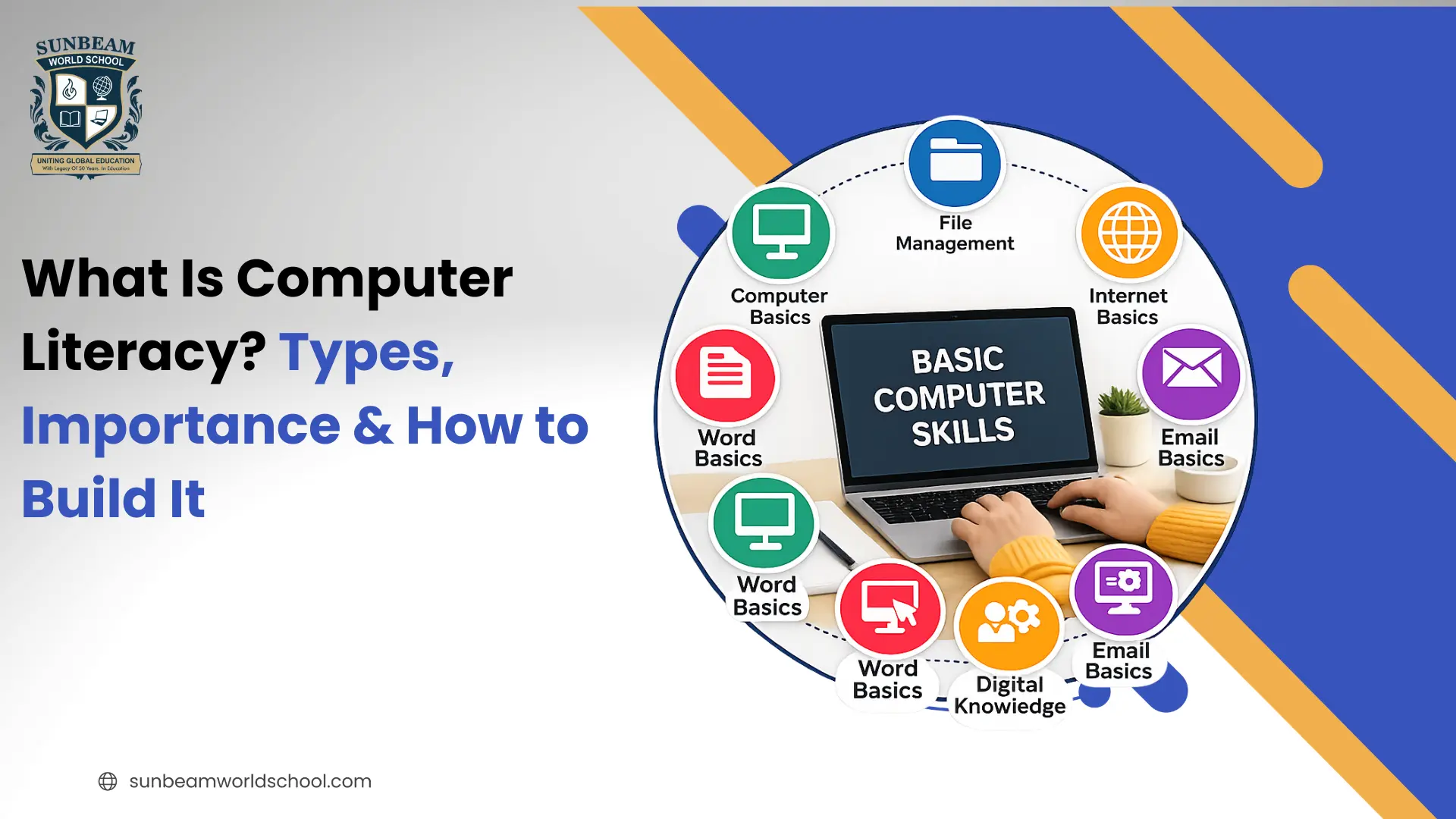
So what are computer literacy skills in practice? Here are the computer basics, foundational abilities most workplaces and schools expect:
1. Operating system basics — opening and closing programs, switching between windows, adjusting settings.
2. File management — creating, naming, saving, moving, and finding files and folders; using cloud storage like Google Drive or OneDrive.
3. Word processing — writing, formatting, and editing documents in Microsoft Word or Google Docs.
4. Spreadsheets — entering data, using basic formulas, and reading tables in Excel or Google Sheets.
5. Email & communication — sending, receiving, attaching files, and using messaging tools like Slack or Teams.
6. Internet use — searching effectively, evaluating sources, and filling out online forms.
7. Online safety — creating strong passwords, spotting phishing, and avoiding malware.
8. Basic troubleshooting — restarting a device, checking connections, and updating software.
These skills are measurable and teachable, which is why computer literacy is usually treated as a hard skill rather than a soft skill.
Why Is Computer Literacy Important?
The importance of computer literacy shows up in nearly every part of modern life. Here's why it matters so much today:
1. Employability: Most jobs — from retail to healthcare to finance — require at least basic computer skills. Listing the wrong skills, or none, can quietly remove you from consideration.
2. Career growth: Stronger digital skills open doors to better roles, higher pay, and automation of repetitive tasks.
3. Education: Students rely on computers to research, write, submit assignments, and collaborate. Computer literacy helps them learn independently and prepares them for digital-first careers.
4. Daily life: Banking, healthcare portals, government services, and shopping have moved online. Computer literacy lets you handle these tasks safely and independently.
5. Avoiding the digital divide: People without these skills risk being left behind socially and economically as services go digital.
For students specifically, computer literacy isn't just an academic requirement — it's a long-term investment in employability and confidence with the tools they'll use for life.
Computer Literacy vs. Digital Literacy: What's the Difference?
People often ask about the difference between computer literacy and digital literacy. They overlap, but they aren't the same thing.
| Aspect | Computer Literacy | Digital Literacy |
| Focus | Operating computers, software, and devices | Using all digital tools and information critically |
| Scope | Narrower — the "how-to" of using a machine | Broader — includes evaluating, creating, and communicating |
| Example | Formatting a document in Word | Judging whether an online source is trustworthy |
| Relationship | A foundation skill | Builds on top of computer literacy |
In other words, computer literacy is about using the device, while digital literacy is about thinking critically and acting responsibly across the entire digital landscape. Computer literacy is the first step toward becoming fully digitally literate.
How to Build and Improve Computer Literacy
Whether you want to learn computer literacy from scratch or improve existing skills, the approach is the same: structured learning plus consistent hands-on practice. Here's a practical path:
1. Start with the basics. Get comfortable with the keyboard, mouse, and your operating system before moving on.
2. Take a course. Free options exist through public libraries, GCFGlobal, Khan Academy, and community colleges; paid platforms like Coursera and LinkedIn Learning go deeper.
3. Practice with real tasks. Build a budget in a spreadsheet, write a cover letter, or organize photos into folders. Real projects cement skills faster than passive watching.
4. Learn keyboard shortcuts. Small efficiencies (copy, paste, save, undo) build speed and confidence.
5. Follow step-by-step tutorials. YouTube and official help docs walk you through specific tasks when you get stuck.
6. Measure your progress. Take a free skills assessment to see where you stand and what to focus on next.
If you're a teacher or parent looking to teach computer literacy, focus on hands-on activities, repetition, and real-world relevance rather than memorizing terms.
How to Describe Computer Literacy on a Resume
Recruiters rarely value the vague phrase "computer literate." Instead, describe computer literacy on your resume with specific tools and proficiency levels:
- Weak: "Computer literate."
- Strong: "Proficient in Microsoft Office (Word, Excel, PowerPoint), Google Workspace, and Slack; intermediate experience with CRM software and data entry."
List the software the job actually requires, group skills logically, and back them up with examples in your work-experience section. Concrete proof always beats a generic label.
Computer Literacy Tests, Courses & Certificates
If you want to prove your skills, a computer literacy test or certificate can help. Common, recognized options include:
- IC3 Digital Literacy Certification — a widely accepted entry-level credential.
- Microsoft Office Specialist (MOS) — validates proficiency in Word, Excel, and more.
- Community college & library courses — often free or low-cost, sometimes with a certificate.
- Free online assessments — quick ways to measure where you stand before formal training.
A computer literacy course typically covers file management, word processing, spreadsheets, email, and safe internet use — the same core skills outlined above.
Conclusion
Computer literacy is one of the most valuable skills students can develop in the 21st century. Beyond helping with assignments and online learning, it builds confidence, problem-solving abilities, and digital readiness for higher education and future careers.
At Sunbeam World School, we believe students should not only use technology but also understand how to use it effectively, responsibly, and creatively. By integrating digital learning into everyday education, we help students build the computer literacy skills they need to thrive in an increasingly technology-driven world.

Frequently Asked Questions
What is computer literacy in simple terms?
-Computer literacy is the ability to use computers, software, and digital tools to complete everyday tasks such as writing documents, sending email, browsing the internet, and managing files. It doesn't require programming knowledge.
What are the 3 types of computer literacy?
+Is computer literacy a hard skill or a soft skill?
+What is the difference between computer literacy and digital literacy?
+How do you describe computer literacy on a resume?
+How can I improve my computer literacy?
+Why is computer literacy important for students?
+Is there a computer literacy test or certificate?
+
In this article
Share this post:


Press and Blogs
Stay updated with our press releases, educational blogs, and more.

Quick Summary Animal sounds are the noises animals make to communicate, warn of danger and...
Quick Summary The most common words that start with I include ice, idea, image, important,...
Quick Summary The most common words that start with Z include zoo, zero, zone, zebra,...